Platform overview
Everything between a first visit and a signed deal.
SpoorFox replaces a stack of point tools with one platform. Every module reads from the same tracker and the same identity graph, so a heatmap knows who bought and a social post knows what pipeline it started.
- 1
Track
One first party tracker on your site records visits, events, clicks, scrolls and replays.
- 2
Identify
Visitors become contacts and companies as soon as they fill in a form, book or call.
- 3
Attribute
Conversions, deals and revenue are credited to the channels, campaigns and posts behind them.
- 4
Act
Fix friction, shift budget, publish, email and reach out, with the AI agent proposing and people approving.
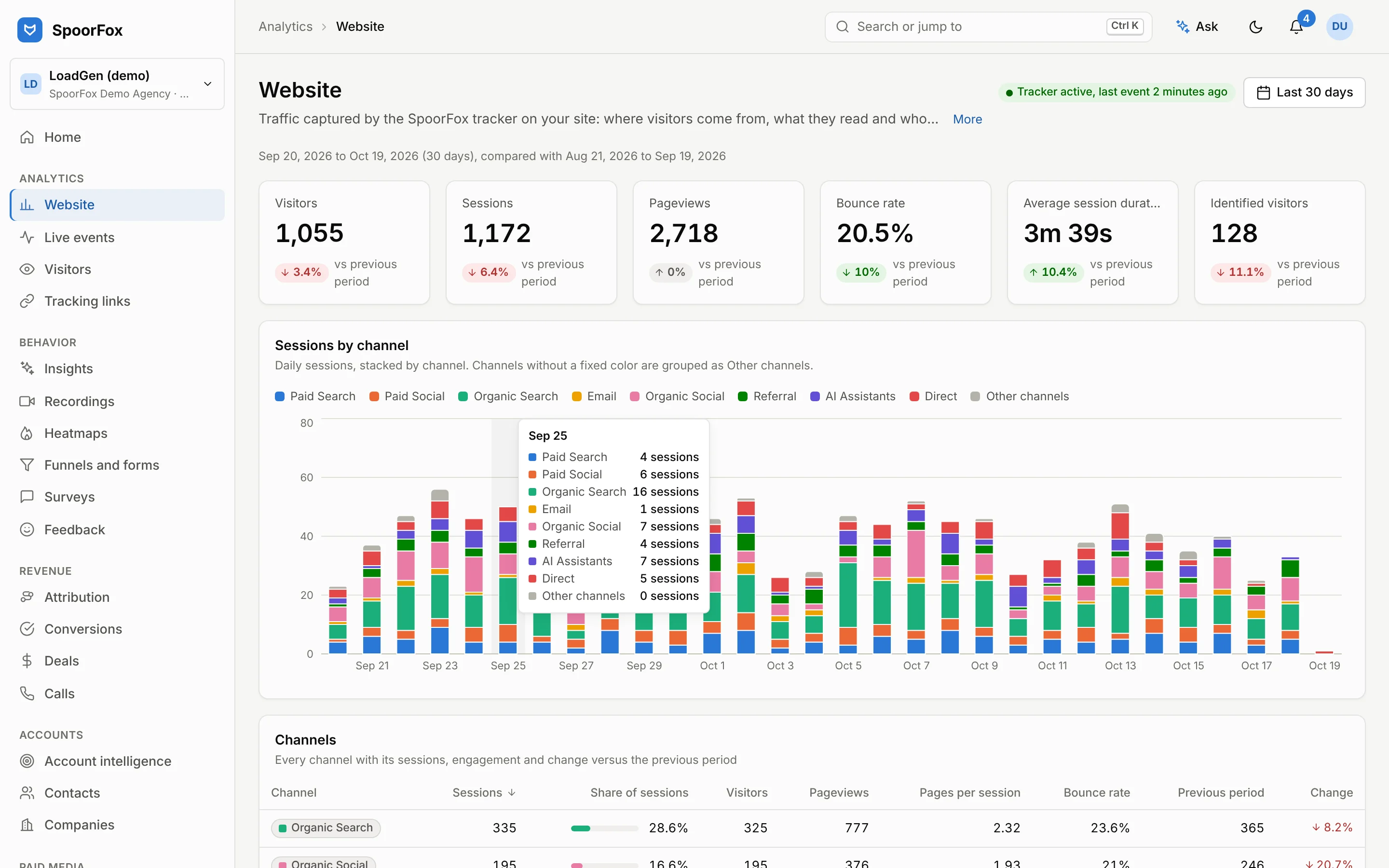
Website analytics
A lightweight first party tracker feeds traffic, channels, live events and visitor profiles. Every visitor is stitched to a contact and a company as soon as they identify themselves, so traffic reports and pipeline reports finally use the same people.
- Channels, landing pages, referrers and UTM reporting
- Live event stream with filters
- Visitor profiles and full journeys
- Tracking link builder with consistent UTM naming
Heatmaps, recordings and surveys
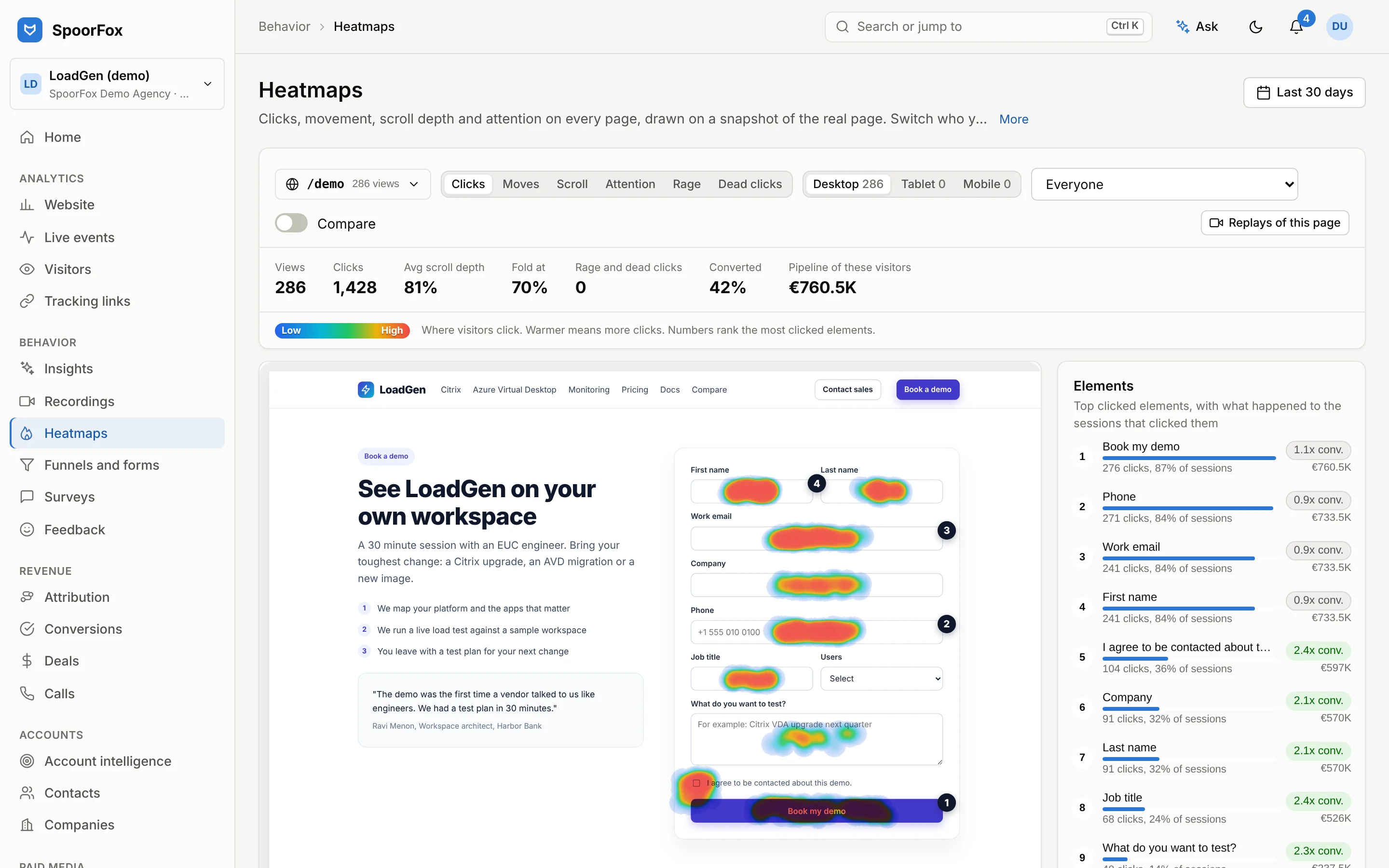
Click, scroll and attention heatmaps on real page snapshots, session replay with inputs masked by default, funnels and form analysis. Surveys ask the right visitors at the right moment, on exit intent, after a scroll or for Tier A accounts only, and their answers come back as NPS, themes and sentiment, with each quote linked to the second in the replay. Every view can be cut to buyers, open pipeline or your best accounts, and an AI friction digest says what blocks conversion.
- Click, move, scroll, attention, rage and dead click heatmaps
- Session replay with masked inputs
- Rage, dead and error clicks, u-turns and form drop-off
- Funnels and field level form analysis
Revenue attribution
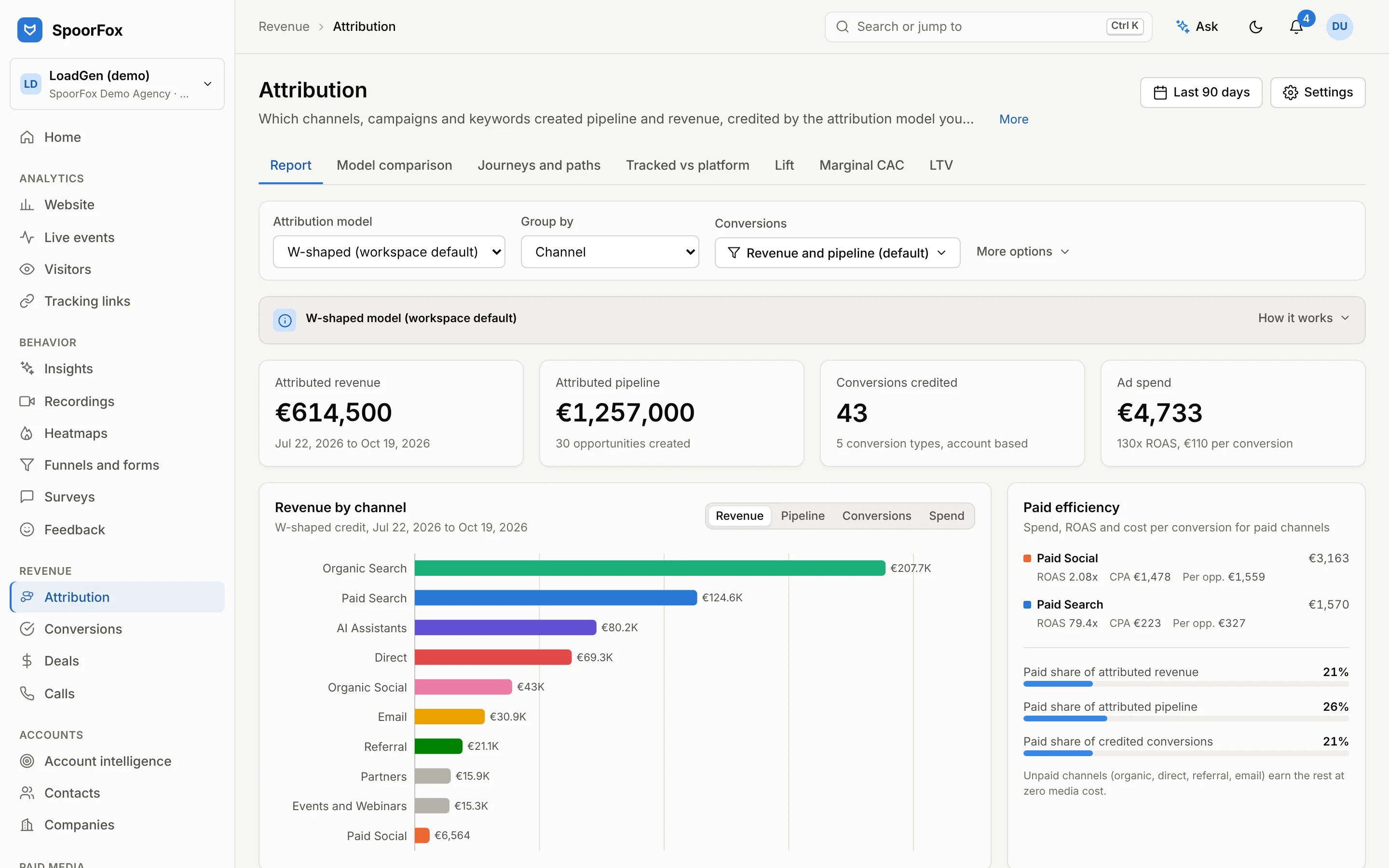
Conversions, deals, subscriptions and offline touches flow in through signed webhooks and imports. Ten attribution models, account based mode and model comparison show what really creates pipeline, and call tracking puts phone leads in the same picture.
- Conversions, deals, subscriptions and LTV
- Model comparison and conversion paths
- Tracked versus platform reported conversions
- Lift tests and marginal CAC curves, from Growth
Paid media and conversion sync
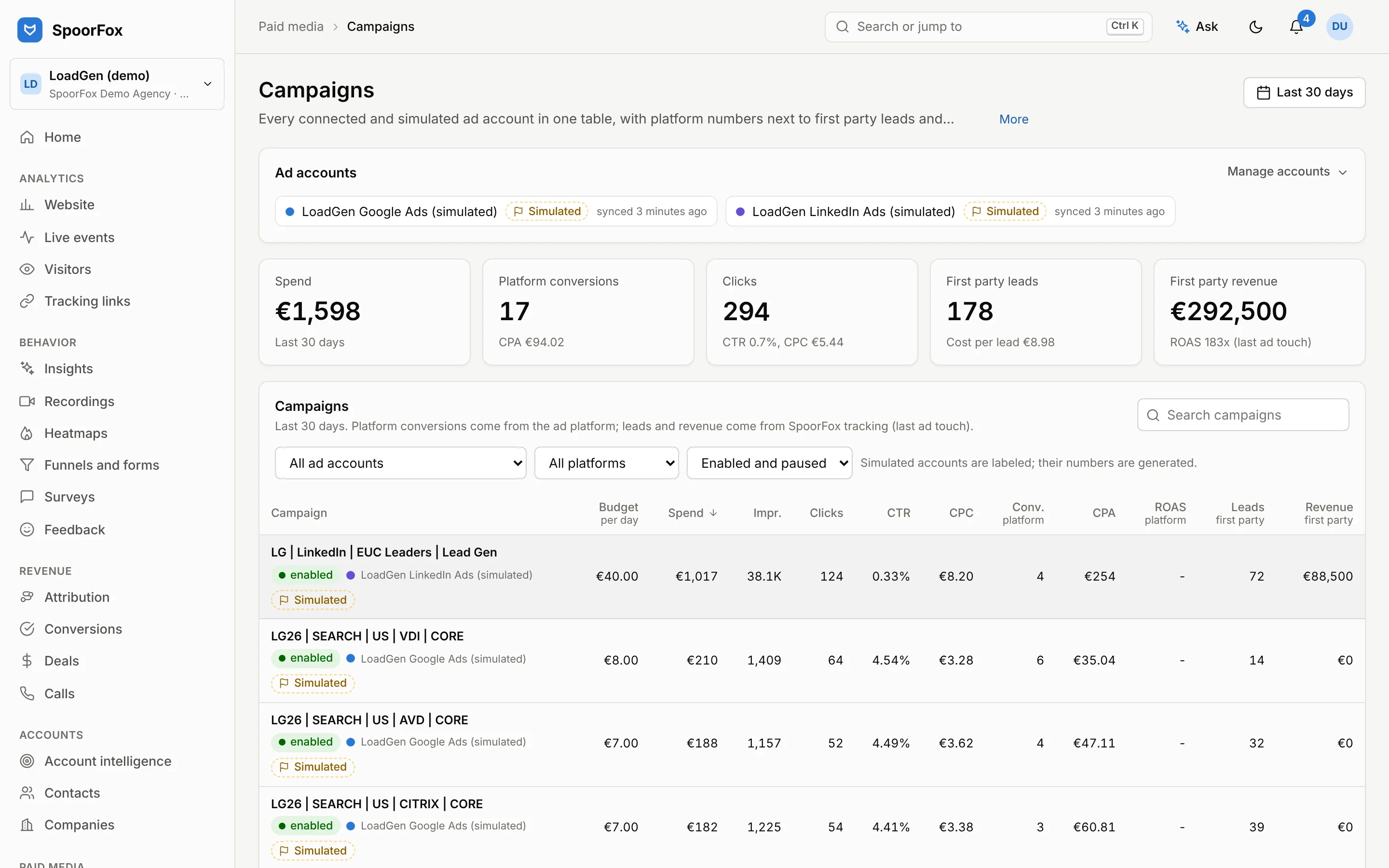
Google, Meta, LinkedIn, TikTok and Microsoft campaigns in one place, with rule based audits, wasted spend, pacing and reallocation. Conversions sync back to each platform so bidding learns from pipeline, and every write is a change request that a person approves before it reaches the ad account.
- Google, Meta, LinkedIn, TikTok and Microsoft Ads
- 40 audit rules and wasted spend detection
- Budget pacing and reallocation proposals
- Creative studio with platform limits
Social media management
A composer with per network limits and previews, approval flows, a content calendar, queues with best times and bulk scheduling. A unified inbox with rules and sentiment, social listening and analytics close the loop, and because social traffic runs through the same tracker, posts are attributed to pipeline.
- Composer with per network limits and previews
- Approval flows and a content calendar
- Queues, best times and bulk scheduling
- Unified inbox with rules and sentiment

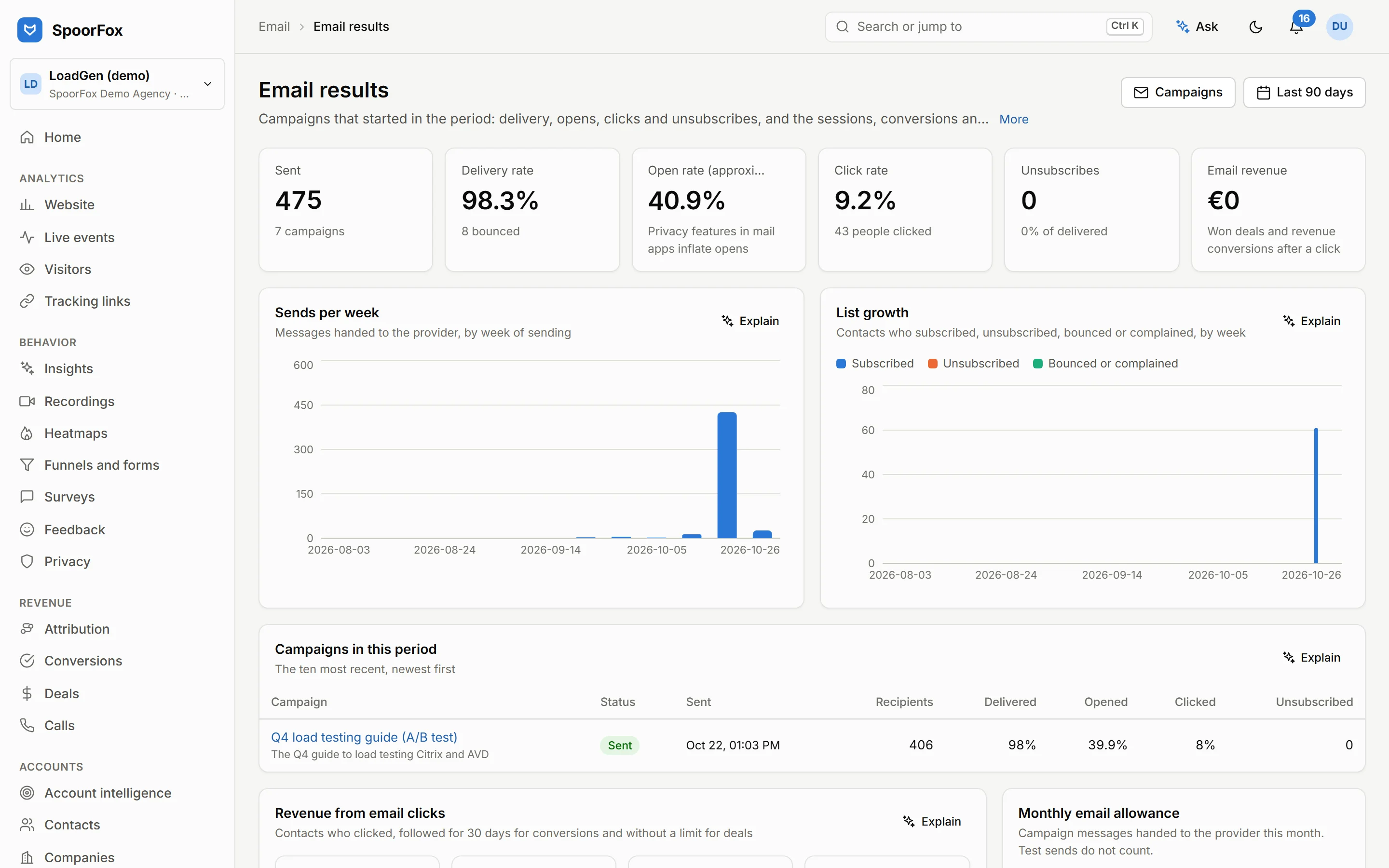
Email marketing
A block editor with templates, and audiences built from what SpoorFox already knows: lists, segments, double opt-in and a preference page. Journeys send the right email when a contact signs up, fills in a form, visits a page, converts or reaches a date. Popups, flyouts, bars, embedded forms and landing pages grow your lists. A/B tests can be won on conversions instead of opens, and every click is followed to the deals and revenue it led to. Receipts, resets and other transactional email go through the same place.
- Block editor with templates and AI drafts
- Lists, segments, double opt-in and a preference page
- Journeys on signups, forms, page visits, conversions and dates
- A/B tests and send time per contact
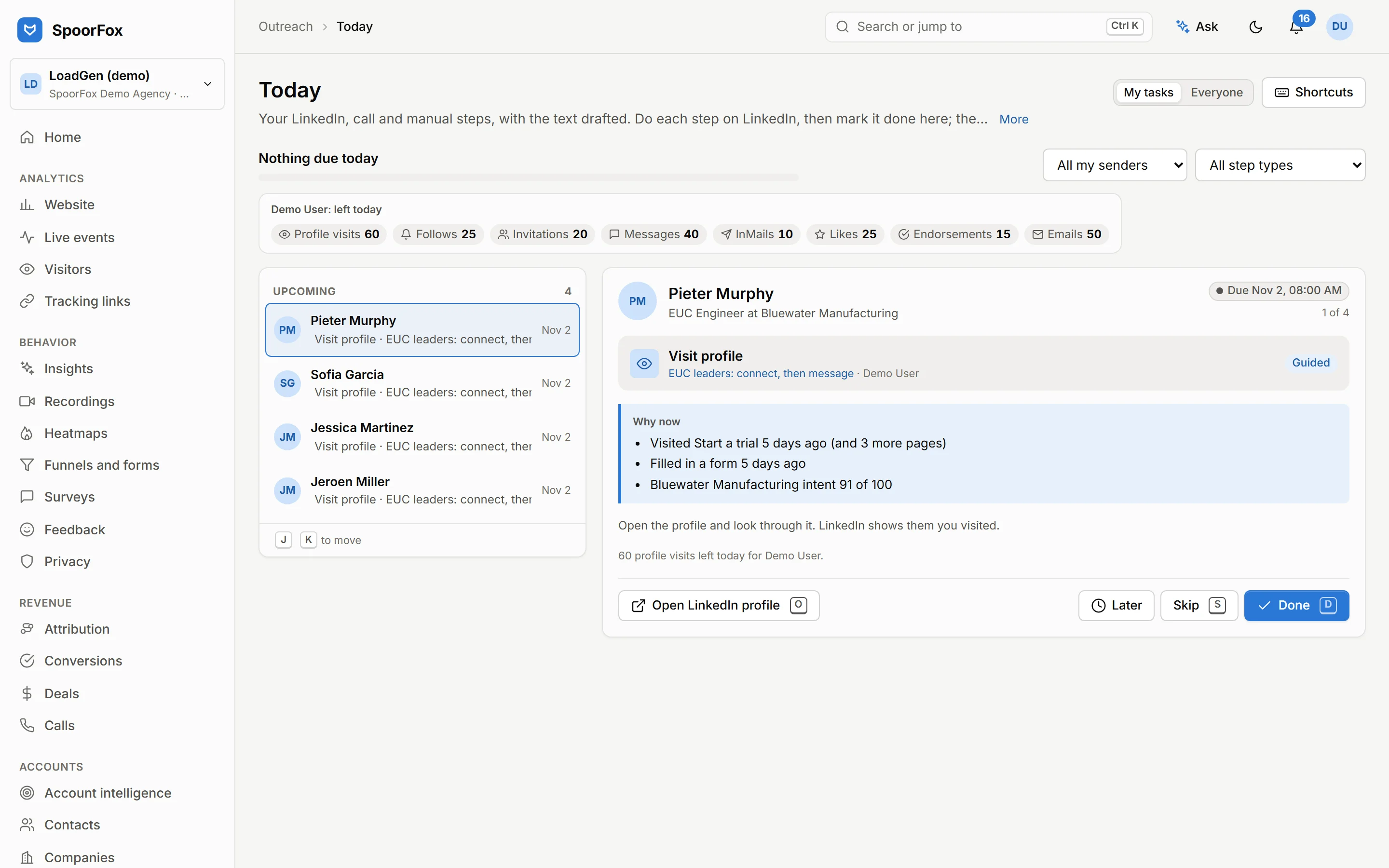
Sales outreach
Sequences combine LinkedIn steps, emails, calls and manual tasks, and stop on every channel as soon as a prospect replies. LinkedIn steps land in each rep’s Today queue with the message drafted and the reason to reach out now, from the visits and intent SpoorFox already tracks. Emails go from the rep’s own mailbox, replies from every channel meet in one inbox, and results count meetings, deals and revenue, not only replies.
- Sequences of LinkedIn, email, call and manual steps
- A Today queue with drafted messages and the reason to act
- Emails and replies from each rep’s own mailbox
- One inbox for LinkedIn, email and notes
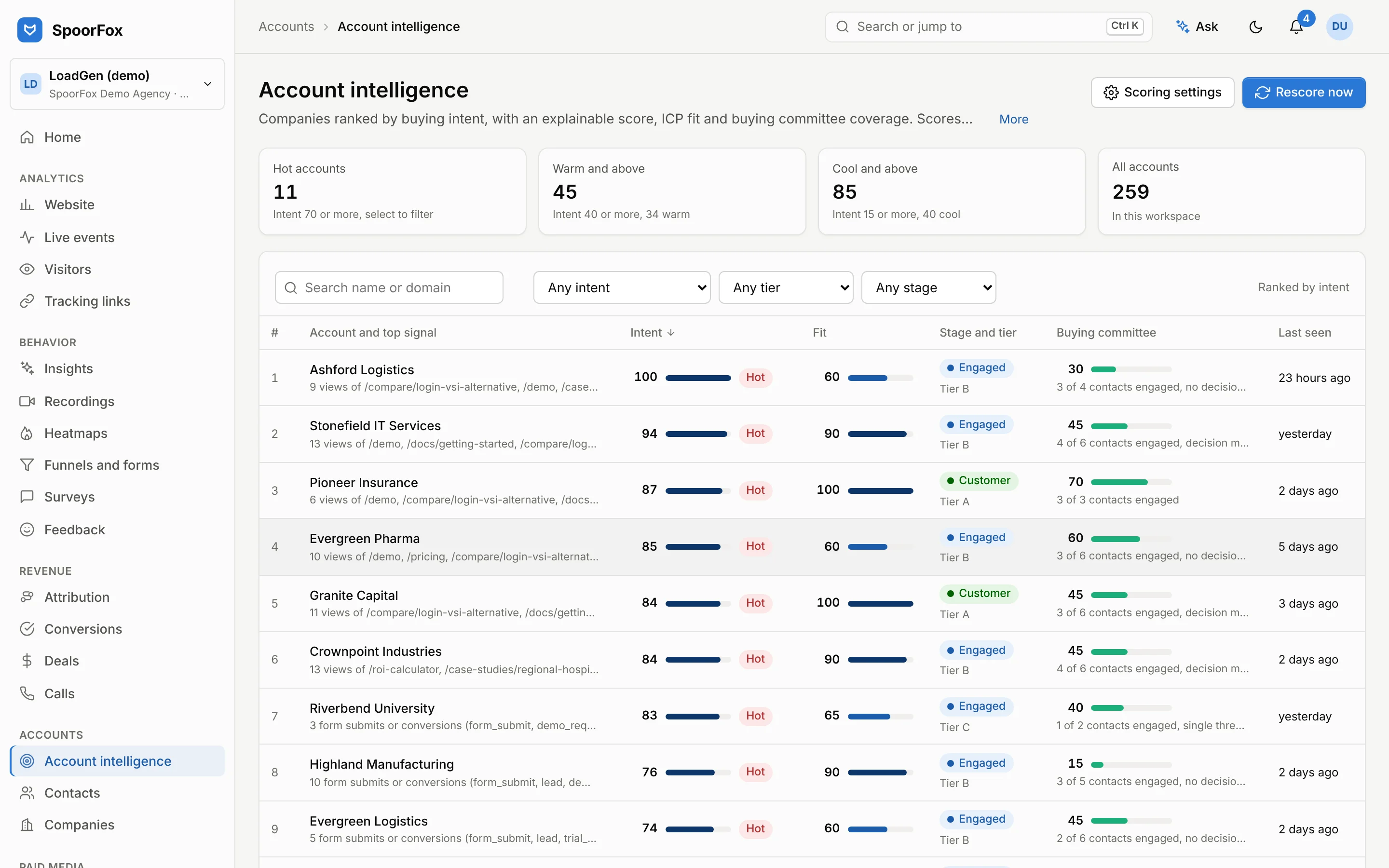
Account intelligence
Explainable intent and fit scores per account, built from the visits, content, ads and conversations you already track. Buying committees, contacts and companies sit next to the score, with next best actions for sales and marketing.
- Intent and fit scoring
- Buying committee view
- Contacts and companies
- Next best actions
AI agent and MCP server
The SpoorFox agent has more than seventy tools over your analytics, behavior, survey, revenue, ads and social data, plus the client context you give it. Home opens with the ask stage: questions suggested from what moved, answered in place with every tool step shown, and tables in answers switch to charts. Scheduled briefs and monitors report what changed, playbooks guide paid media work, and an MCP server lets Claude, ChatGPT or Cursor use the same data. The agent proposes, people approve.
- Agent with 70+ tools over your data
- Ask stage on Home with questions from what changed
- Tables in answers switch to charts
- Client context per workspace

Dashboards and competitive insight
Dashboards built from templates or from scratch, a home page that says what changed and why, competitor page watch that flags pricing and positioning changes, and landing page audits that score the pages you send traffic to.
- Dashboards and templates
- Period comparison on the home page
- Competitor page watch
- Landing page audits

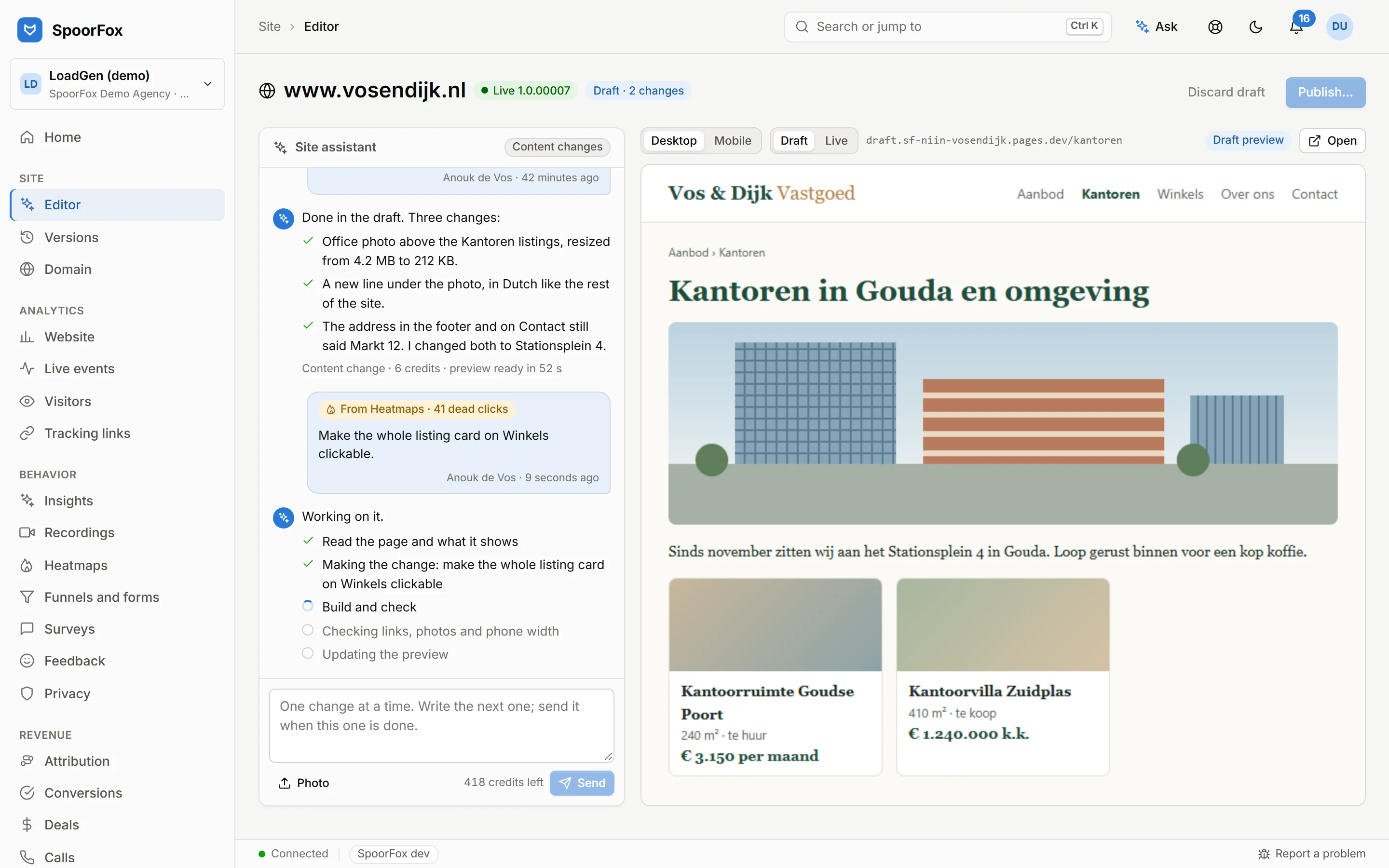
SpoorFox Sites
Ask in a chat inside SpoorFox for a new text, a photo, a listing or your opening hours. SpoorFox edits the real code of your site, builds it, checks links, photos, phone width and page weight, and shows a preview of the draft. It goes live as a numbered version when someone with publish rights presses Publish, and any earlier version is one click away. SpoorFox hosts it on your own domain, with the code in its GitHub or in yours, or your own Cloudflare Pages builds it; the SpoorFox tracker and a consent banner are built in either way.
- Changes by chat: texts, photos, listings, contact details and opening hours
- Build, links, photos, phone width and page weight checked on every draft
- Numbered versions, with any earlier one back in one click
- Photos uploaded or from the media library, resized automatically
See SpoorFox on your own data.
A 30 minute walkthrough of every module, then a 14 day trial on a private stack of your own.